
Add notes to the films on your watchlist
For every film on a watchlist, you can record why it is there and add videos or links. When your group votes, everything that helps them decide is right there with the film.
Record why a film is on the list
A note belongs to a film on one watchlist. It might say who recommended the film, what to look out for or where to find a good article about it. Everyone who can read the watchlist sees the note: on a private list its members and the followers an owner shared it with, on a public one everyone.
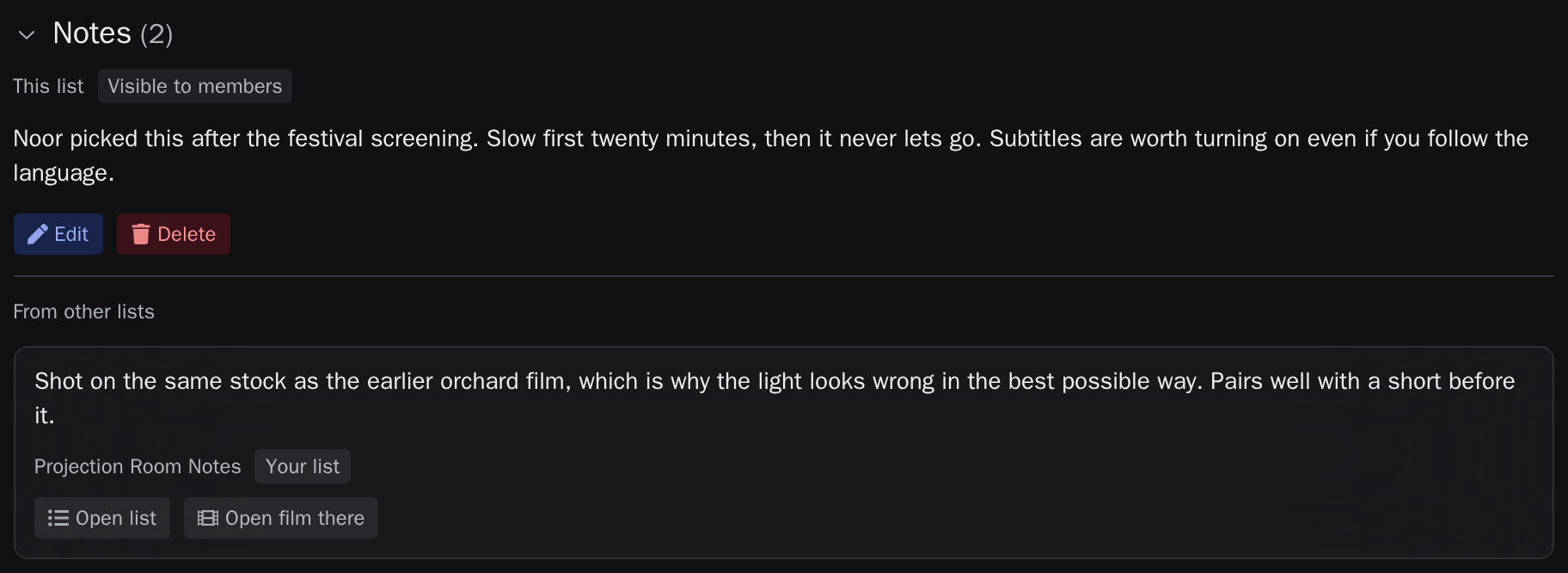
Embed videos and links in notes
When a note contains a YouTube link, the video is embedded in the film page. After a click on Load from YouTube, it plays there without leaving the watchlist. Other links appear as a preview with a title and an image.
Videos, previews and clickable links need a watchlist that belongs to an account. On a watchlist created without one, links stay plain text. Links to piracy sites and link shorteners cannot be saved in a note.
Take notes from a feed automatically
Many magazines, blogs and lists publish a feed. When you add one as an import to a watchlist, each entry's description can become the film's note, with a link to the article or video if you like. New entries then arrive on their own. A CSV file with a notes column works the same way, once.
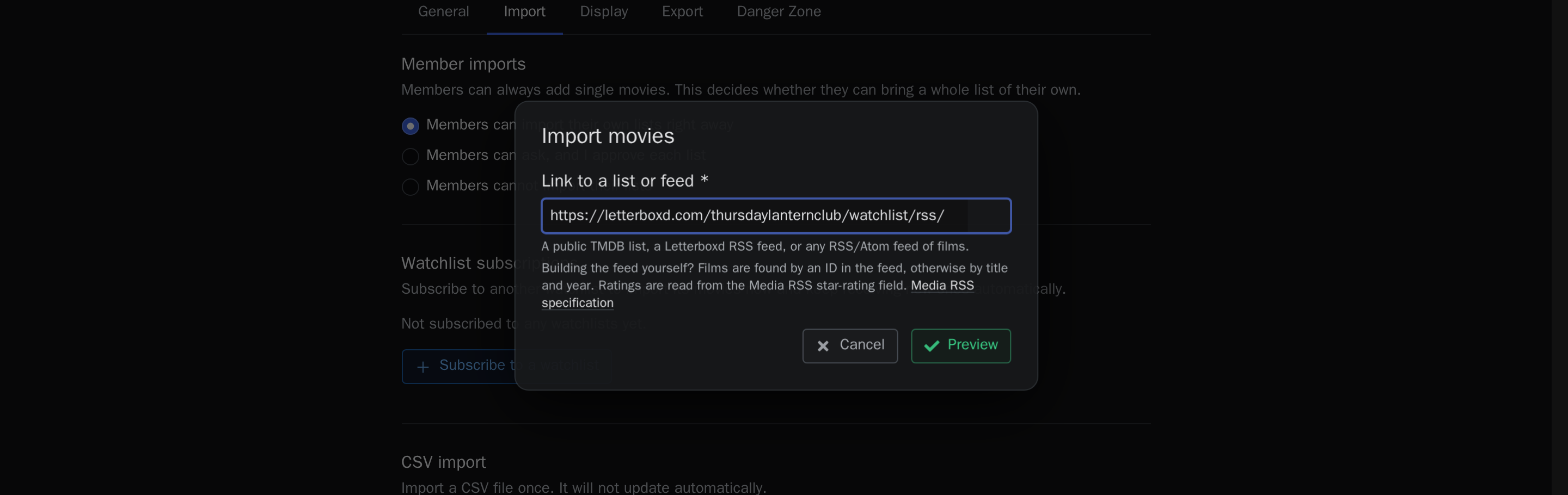
Collect a YouTube channel's videos as notes
A feed can also become a watchlist of its own, for example with the videos of your favourite YouTube channel. For an entry to be matched to a film, it needs one of the following:
- a TMDB or IMDb ID
- a link to the film on TMDB or IMDb
- the film's title and release year as its title
A video called "The best film of the year?" names no film. An automation tool such as n8n helps here: it reads the channel's feed, finds the film each video is about and publishes a new feed with the film's ID, a short summary and the link to the video. Import that feed into a new watchlist, and every new video appears there as a note with a summary on the right film.
Show another watchlist's notes to your group
Your video list, or any other watchlist you own, can show its notes on a further watchlist. Open that watchlist's settings, go to Import, select the list under Watchlist subscriptions and choose Show notes.
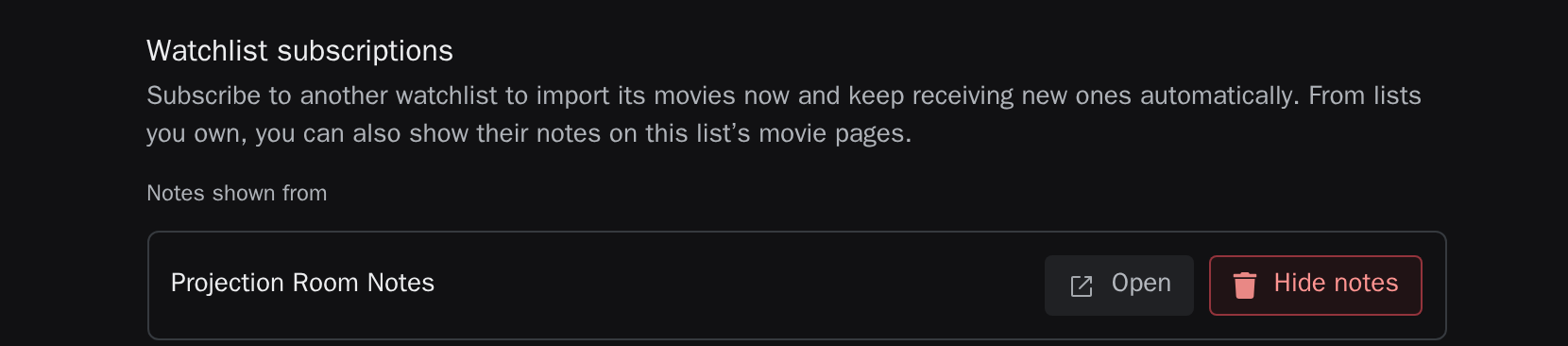
Members then see the notes on the film pages under From other lists, marked as Note source, as in the picture above. No films are copied: a long video list adds to your watchlist without filling it. Whatever you change in the source list appears everywhere at once.
Common questions
Can I show notes from someone else's watchlist?
No. Notes can only be shown from watchlists you own, because showing them publishes them to the members of your list.
What happens when a second video arrives for the same film?
The existing note stays. If the newer entry should replace it, turn on Overwrite existing imported data in the import.
Do I need an automation tool?
Only when a feed's entries do not name a film. Feeds from Letterboxd, lists from the movie database and many film blogs can be imported directly. Learn more in the guide to importing a watchlist from Letterboxd, IMDb or RSS.