
Plan a movie night with a date, RSVPs and a film
Plan a movie night with the people you want there. Find a date that works, set the time and place, collect RSVPs and choose a film together. Everyone can see the current plan in one place.
Find a date that works for your group
Everyone marks the evenings they are free on the calendar. Select a day, then choose Available, Maybe available or Not available. Switch on Select several to answer more days at once. Pressing the answer a day already has removes it. You can see member availability at a glance and choose a date that works for the people you want to include. Select a day and choose its totals, such as 2 available, 1 maybe, to see who is available, who might be and who has not answered yet. To plan the night, select its day and choose Plan movie night.
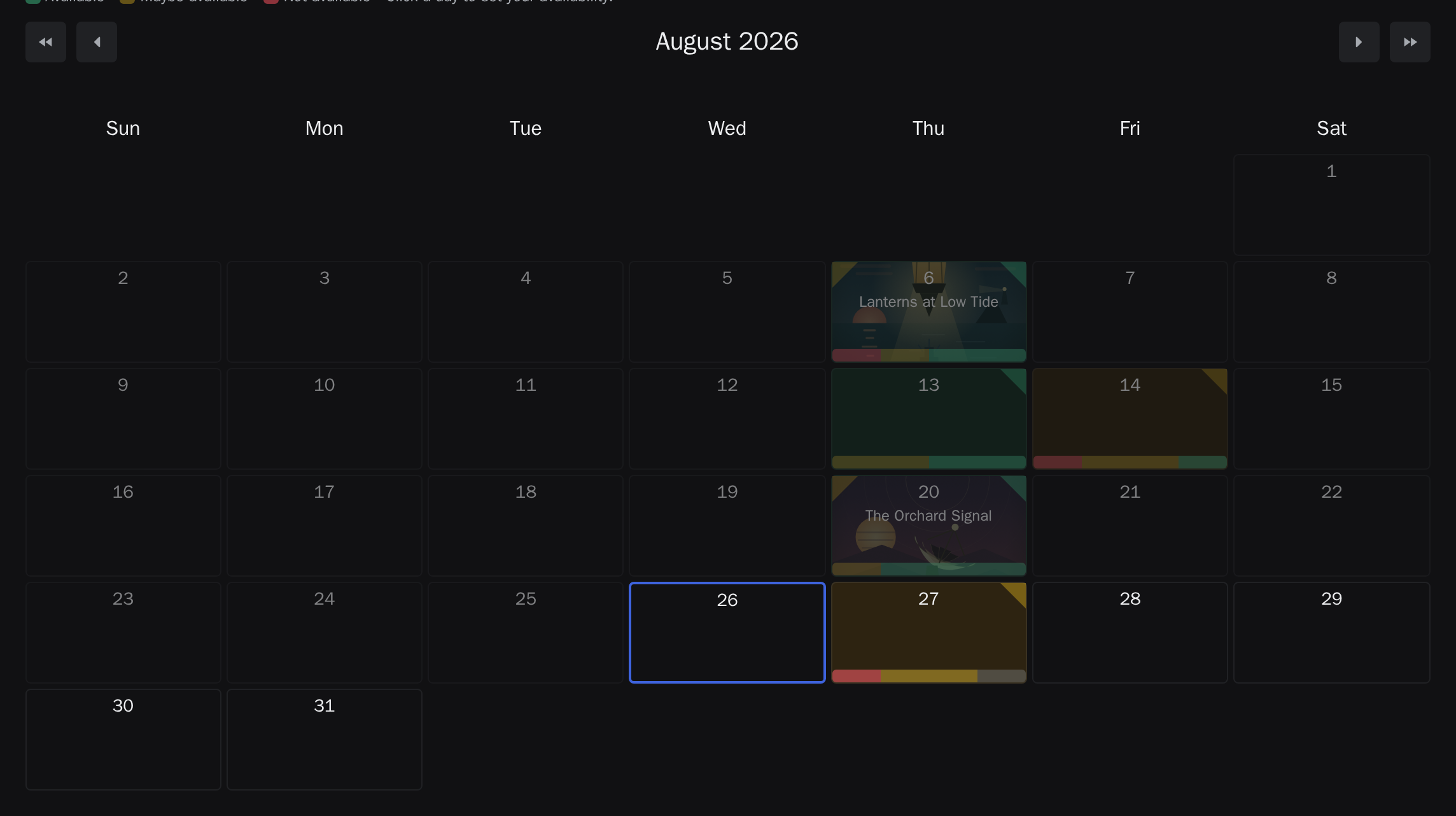
Share the calendar to ask for those evenings before any night exists. Share sits beside the Month and List switch and is there for every member. It offers a link to the calendar, and, for whoever may widen access, a link that admits new people. If you manage the watchlist you can also ask members for the days that suit them. Each person gets the message by email, as a push notification, or both, depending on what they have set up, and you see which applies before you send. You can also invite someone new by email.
Keep the plan visible to everyone
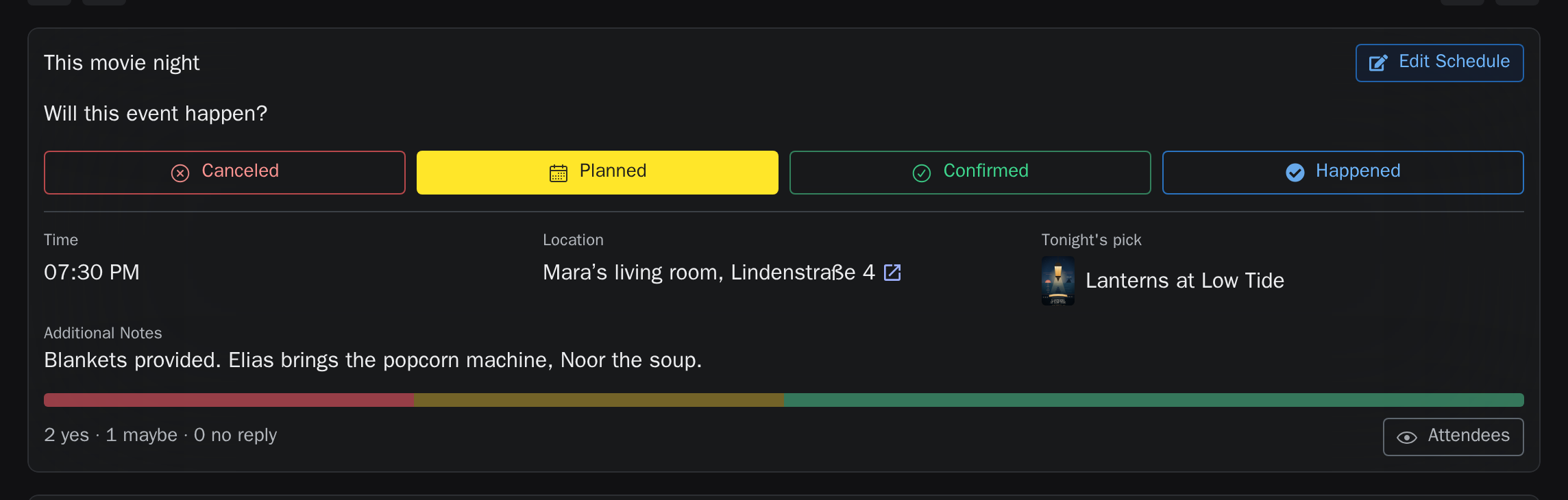
The movie-night page brings the time, place, status, film and RSVPs together in one card. Everyone involved can see updates there. At the bottom of the card is the next step for you, such as saying whether you are coming, setting the place, shortlisting films or picking the film, with a button that takes you to it. Once the night is over, it asks the owner to record which film you watched and who was there, and then asks everyone who came to rate the film.
Collect RSVPs in one place
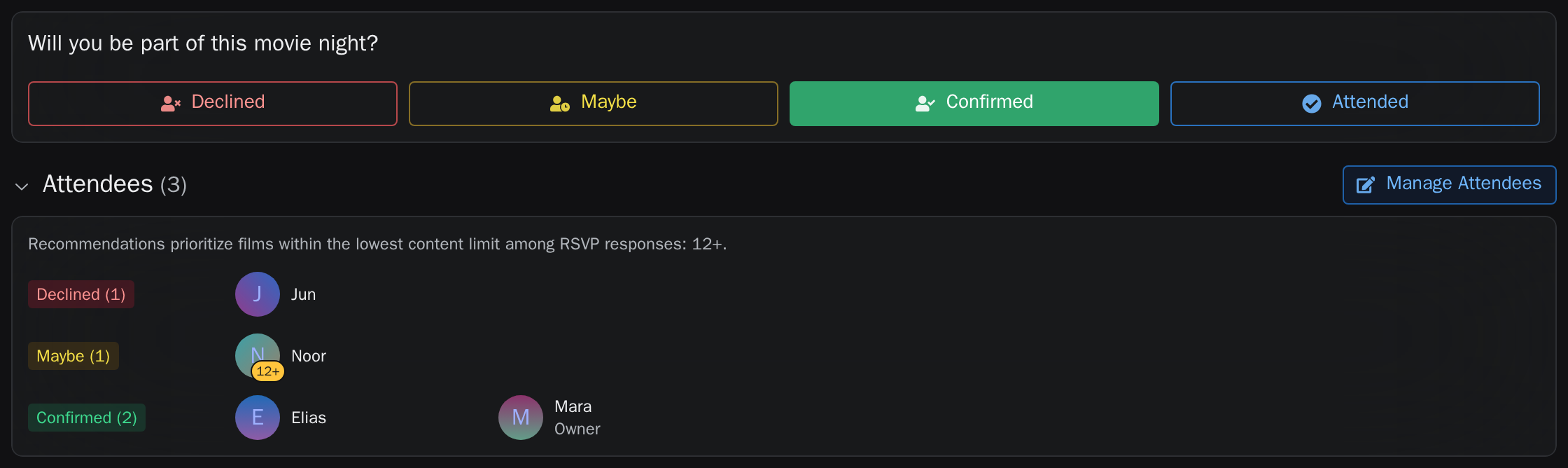
Members and guests can say whether they are coming from the link you share. An owner can also record an answer received in person, so the attendee list reflects everyone you are planning for. Marking a day as free is not an RSVP: once a night is planned on that day, everyone says whether they are coming.
Choose the film with the people attending
Put films up for a vote and let the people attending choose between them. The result reflects what this night's guests want to watch.
The movie-night page shows the picked film beside the other candidates. Vote, pick or drop a candidate with the buttons under its poster. Click any poster, the picked film's too, and its details show beside the picked film. Tags under the film's title say how it compares with the others in the running: the best rated or shortest, the one nobody coming has seen yet, the best fit for the group's taste, or a warning when it is above someone's age limit.
A film somebody coming has already seen ranks behind the films nobody coming has seen, however many votes it has, unless everyone who has seen it would watch it again. The eye on its poster counts who coming has seen it, in amber while it holds the film back, and a tag under its title says the same. If you are the one who has seen it, the tag says so, and "Would see again" in the film's details lets you answer: say yes and it moves back up by its votes.
A poster shows the film's details, and with them the film's decisions: the owner picks it there, and anyone who does not want it on this night vetoes it there. A vetoed film stays a candidate, moves behind the others and shows who vetoed it, and the veto stays with the night even if the film is dropped and shortlisted again. Watchlist cards show the veto too while that night is selected, and picking a vetoed film asks for confirmation first.
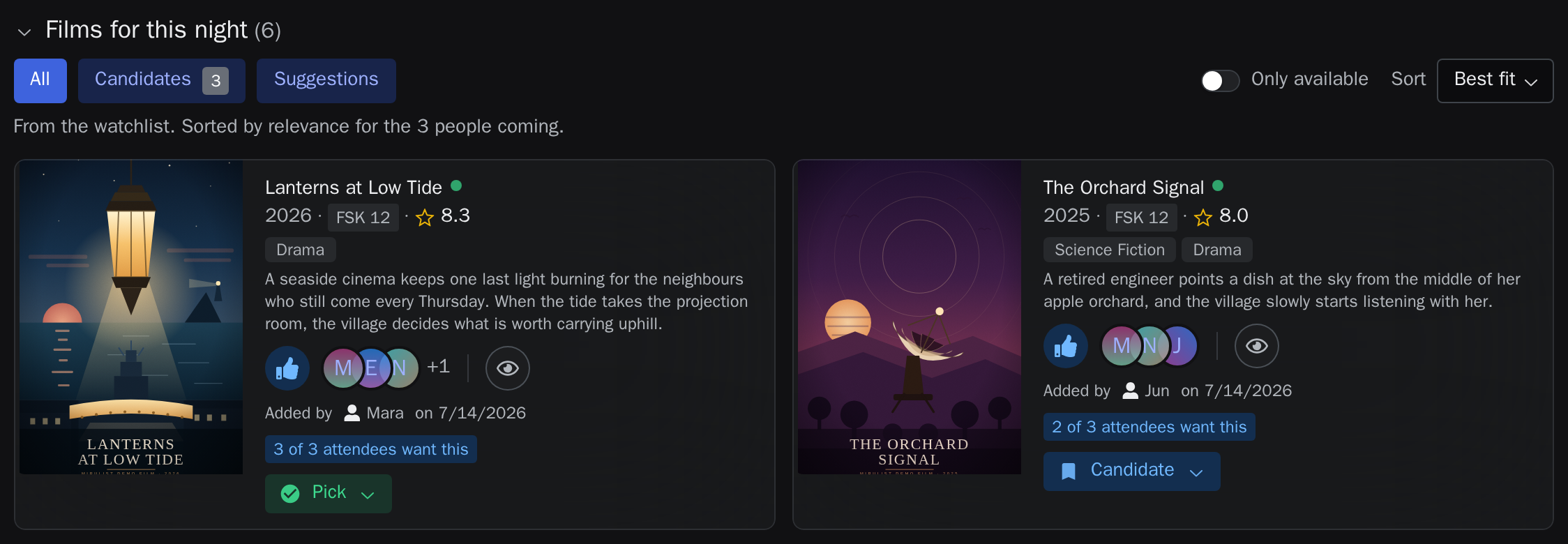
Below the candidates, every film on the watchlist is listed in the order that suits the people attending. Search there to suggest a film. A film on the watchlist shows its place for the night, such as number 21, and a film the watchlist does not have yet can be added right away. Adding it counts as your vote for it.
You can also start from a film. Open it in the watchlist and plan a movie night from its action row: pick a date, and the film goes up as a candidate for that night. Once a date is set, the same action names it and takes you to the movie-night page.
Keep regular movie nights in one place
A watchlist can hold all of a group's movie nights, upcoming and past. You can search across them by film, watchlist or location, subscribe to calendar export where access allows it, and return later to mark what actually happened. A movie night that took place before it was planned here can be added too: choose its past date when you create it.
Marking a night as happened asks for the film you watched and who was there, in one dialog. It offers the night's chosen film and its shortlist first, and you can search for any other film, with its poster, year and plot to tell films with the same title apart. A film that is not on the watchlist yet is added to it when you complete the night, so an evening nobody planned a film for is recorded in the same step. Everyone you record as there then finds the film under Needs action in their notifications, with a button that opens the night at its rating. It stays there until they rate the film, for up to two weeks.
Your movie nights from every watchlist are also gathered on one page, which the account menu opens. Filter it by status, search across film, watchlist and location, and switch between the list and a month calendar. In the calendar a day with a movie night carries the chosen film's poster, names the film and the watchlist, and opens that night wherever on the day you tap. Where a day holds nights from two watchlists, one of them fills the day and a small count in its corner opens the rest.
Switch on "Show watched films" above the calendar to add the films you have logged as watched. A watched film carries its poster and the word Watched, and opens the film in your watched films. A small eye marks a watched film and a calendar tick marks a movie night. A film you watched at a movie night appears once, as that night.
A film you have already logged as watched is the shortest way in. Open your watched films, find the film, and use the movie-night action beside the date you want. Choose the watchlist, pick the day from its calendar, set the time and the place, and pick who was there. Someone who is not in the watchlist yet can be added with the button after its people, and is picked at once. The night is recorded as it happened, with the film set and everyone picked marked as having attended. The film is added to the watchlist if it was not on it yet. You stay on your watched films: the entry now points at the night, and a notice offers to open it, so you can still add notes or anyone you missed.
Days still ahead cannot be chosen here: a night that has not happened yet is planned from the watchlist calendar. Once an entry has been recorded, its movie-night action opens that night instead of recording a second one.
If the evening is already in the calendar, the same dialog lists the watchlist's nights beside a new one: pick the night to link the entry to it. Your entry then takes the night's date. A night that has not been marked as happened yet is closed when you link it, with the film and the people you tick. Members of the watchlist can link their own entry to a night that has already happened. The dialog remembers the watchlist you chose last.
Common questions
Do I need an account to plan a movie night?
You can start a watchlist and invite people with a link without everyone registering. An account keeps your movie nights, lists and viewing history together over time.
Can guests RSVP without signing up?
Yes. The invitation link is enough to vote, reply, comment and open the movie-night page again.
Can I invite someone straight to one date?
Yes. A movie night has its own share link, and owners can send a direct nudge or invite a new person by email.
Does it work on a phone?
Yes. You can mark availability, RSVP and choose a film on your phone.